Ахбор
Site admin: settings search, your own menu groups and user management
The section you need is found by search, the side menu is assembled to your liking, and an administrator can set a new password for a user, block or delete them.
Sitebill CMS
October 19, 2026 1 дақиқа мутолиа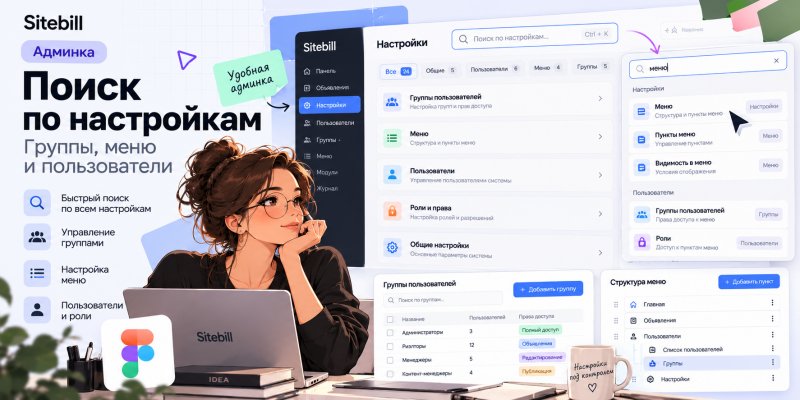
The more features a system has, the harder it is to find the right one. We reworked the admin navigation so that the site owner and the agency administrator reach the right section in seconds.
Settings with search
The settings page is split into sections and now has search: type a few letters, and the system shows the right parameter. Next to it there is a module catalog: you can see what is connected and what can be enabled.
A menu of your own
- Hiding items of the admin sidebar: remove what you do not use.
- Your own groups and pinning of frequent sections, as well as the start page after sign-in.
- The user and personal account menu: frequent sections are moved to a dropdown menu, and in the account sidebar they are grouped.
User management
- A new password: an administrator can set a password for a user who cannot sign in.
- Blocking or deleting right from the list: first you can block, and delete completely if needed.
- Counters in the “Active” and “Blocked” tabs show the scale at once.
Who it matters to
Site owners with several employees and agencies where each role should have its own set of sections. The shorter the menu, the faster new employees learn.